Best Practices for Creating User Friendly Software Manuals

Neithdos Consulting Services • May 29, 2026

Recently, I have been struggling with a business project where I have uploaded data from a .csv file stored on an Amazon S3 bucket to a Data Warehouse from another software application using a worksheet in which I must write SQL language using a schema.


Does that sound confusing? If you are a developer, you would say, " Piece of cake; I can do that with my eyes closed. "

However, as a technical writer, you are thinking, " Why me?"


As technical writers, we want to do the best job writing software manuals so that customers can understand and use the software application without any issues.


However, what happens if we run into a situation like the one I described above? Where can we figure out how to describe this thing that we are trying to write about? YouTube? Google? ChatGPT?


Sometimes, the modern ways of searching do not even help.


User-friendly software manuals may be the answer, primarily if documents are written so that even non-technical users such as myself can understand.


What are Software Manuals?

Software manuals are information about the software companies want to share with their customers, clients, stakeholders, and partners.

These manuals contain detailed instructions so the customer can easily understand and operate the software by breaking it down to easy-to-understand content.


Types of Software Manuals

There are many types of software manuals that organizations provide to the end users:

  • Administrative documentation – Provides high-level guidelines, roadmaps, and product requirements for the development team and project managers working on the product.
  • Developer documentation – Developers use these instructions for building the software throughout the development process.
  • How-to-guides – How-to-guides shows the end user how to complete a task.
  • Training Manual – Training manuals provide instructions on how to complete a task, project, or job.
  • Service Manual – Service manuals provide instructions on caring for and maintaining a product.
  • Operator Manuals - Operation manuals outline the software manufacturer's roles, responsibilities, and processes.
  • Standard Operating Procedure – The Standard Operating Procedure (SOP) contains specific instructions for accomplishing a procedure.


Importance of Good Software Documentation

Calling or emailing the customer service department is not the preferred method of approximately 90% of millennials and 70% of the company's customers who need questions answered about the software they are using.


They will use the organization's website before calling or emailing.


As we can see, software documentation is preferred because customers can get what they want instantly without searching for the hardcopy guide that is somewhere in the house or at work.


Good software documentation reduces the time and effort of the support team because it gives users the power to troubleshoot.

Software documents are living manuals because of technological improvements such as Artificial Intelligence, Machine Learning, Software updates, new hardware, etc.


Writers are constantly updating the documentation.


Most importantly, software documentation improves customer satisfaction and user experience.


What are the Benefits of Software Documentation?

There are a few benefits to Software documentation over printed user manuals, such as:

  • Software Help Documentation is available anywhere, anytime, and on any device. Customers can get help with either a laptop, iPad, or mobile phone from their favorite coffee shop without worrying about what they did with the instructions that came with the product.
  • It is a great marketing tool. Keywords can be used as a search engine optimization (SEO) option to boost the product or service.
  • Using features such as videos, code, screenshots, diagrams, charts, etc., can be very appealing to the end user. Who wants to read boring text?
  • The user is able to navigate with ease. As a simple method to get around the document, the user can use search boxes, a table of contents, breadcrumbs, etc.
  • It has improved customer experience. If the document is easy to read and follow, end users can get the most out of it. This builds a long-term relationship between the organization and the customer.
  • Storage. There is no need to spend precious time finding hard copies because software documentation can be easily found in the cloud.


Best Practices

Creating an extraordinary Software help document will take time and preparation, but with patience, the benefits are never-ending. Here are some steps:


Understand the goals and the target audience. What is the objective of the document? Who is it for?


Write down vital questions. Anticipate any questions from the readers about the product and service. This will enable the writer to gather ideas, create documents, and significant value information.


Create an outline. This is beneficial for writers to create the best layout and structure to address the objectives.


Compile the information. If you are familiar with the topic, no problem; this should be easy. However, for most of us, doing Software research, talking to stakeholders, and looking over existing documentation will be necessary.


Create the first draft. Get the information down on your favorite document processor. See what it looks like. Recommendations for creating a first draft include:

  • Avoid writing more than necessary.
  • If possible, do not use jargon.
  • Use simple language.
  • Keep the goal and readers in mind.

Do not forget to add documentation visuals. This is where customers become very interested. Use videos, images, and graphics to highlight a point or aid the end users.


Finalize time for spelling and grammar checks. Have a fresh set of eyes review the document. Present it to a subject matter expert for their input.

What tools can be used to Create a Software Document?


A technical writer can use several software tools to develop help documents. These tools assist in writing, editing, drawing, reviewing, and rewriting. A sample list of the tools available include:

  • Google Docs
  • Google Docs is becoming a tool for collaborating on documents through a mobile phone.
  • Snagit
  • Screen capture and recording software can provide feedback, train, or show others how to perform a task.
  • Visio
  • Microsoft Visio creates design flowcharts, architectural diagrams, software product designs, circuits, etc.
  • Photoshop
  • A top-rated image editing tool that creates and edits images for web pages, banner ads, and video graphics.
  • MadCap Flare
  • MadCap Flare is used to streamline document creation and learning & development programs—one of the favorite topic-based authoring tools for technical writers.
  • Adobe FrameMaker
  • Writers use Adobe FrameMaker to generate structured documents with a 100% DITA-compliant XML framework.
  • WordPress
  • Many writers use WordPress to create technical documentation in blog form. WordPress blogs can be integrated into the company website.


Using a Template

It may be beneficial to use a template to create a Software help document to publish it to the server. The two templates are HTML and Microsoft Word.


HTML

The HTML template helps the writer create a help document displayed in the Help menu. The template helps the writer produce content that uses the same style and resources as an existing help document. To use HTML, the user must have an HTML or text editor to open and save files.


Microsoft Word

The Microsoft Word template assists writers who use Word 2007 or later to include Office 365. The template provides flexibility to create new types or add existing documentation to the server. The template can automatically create an HTML file required to publish a Microsoft Word document on the Help server.


Once the documents are created, reviewed, and ready to be published to the help server, take the following steps:

  1. Open the Windows Explorer.
  2. Open the folder that contains the document file (HTML or Word).
  3. Open a Second Windows Explorer window.
  4. Navigate to the content folder.
  5. Copy the file(s) that need to be published.
  6. Close the Window Explorer windows.
  7. To verify, open the help viewer and search for the file.


Storing Software Help Documentation

Once the Software Help Documents have been created, they should be stored in a document portal. A document portal provides a secure, centralized place where all documentation can be accessed.


The advantages of having a document portal:

  • Reduces the amount of storage space.
  • Simplifies backup and recovery.
  • Prevents human error data loss.
  • Provides security.
  • Centralized location.

To learn more about document portals, please read the blog post " How to Create a Documentation Portal "on the MadCap Software Blog site.


Make the Software Help Documentation “POP”

As mentioned in the Creating a Software Help Documentation section, the way to attract readers is to make the documentation appealing. Here are some of the ways that writers can make that documentation “pop:”

  • Embedded Videos: Adding videos is one of the easiest ways to connect to the end user. It is one of the easiest ways to explain how a product works or how to use a unique feature.
  • Images: Images provide a way to explain something without using words.
  • Fonts and Themes: Ensure the fonts, themes, and colors on the Software document blend with the website. Your customers should not feel they are using two different websites because they design others.
  • Breathing Space: Make sure that there is space throughout the documents. Space makes it easier to read and comprehend, while a congested document will turn off readers.
  • Please keep it simple: The document should be detailed; however, it must be straight to the point.
  • Responsive: The document should be compatible with mobile phones, tablets, laptops, and desktops. It is a Software document that needs to be easily accessible by anyone at any time.


Summary

Creating a great first impression is essential. Software Help Documentation can get you there. The key to producing quality documentation is careful planning and thinking about the customer. As the need for hard copy documentation dwindles, Software Help documentation will be the go-to source.


By Neithdos Consulting Services June 20, 2026
 Most SaaS teams do not notice their documentation problem until support tickets stack up, onboarding slows down, and customers start asking the same question in three different places. That is usually when SaaS documentation best practices stop feeling optional and start looking like a direct operational need. Good documentation is not filler around the product. It is part of the product experience. For small and mid-sized companies, this matters even more. You may not have a full technical writing team, a dedicated knowledge management function, or extra time for cleanup work. Documentation must do real work. It needs to help users’ complete tasks, help internal teams stay aligned, and hold up as the product changes. Why SaaS documentation breaks down Most documentation issues are not caused by a lack of effort. They come from ownership gaps, rushed releases, and content written from the company’s point of view instead of the user’s. A feature launches, someone writes a quick article, another team updates a help center category, and six months later there are four different versions of the same process. SaaS products also change faster than traditional software. Interfaces shift. Permissions evolve. Integrations expand. That means documentation cannot be treated like a one-time project. It has to be managed as a living business asset. SaaS documentation best practices that actually improve usability The strongest documentation programs are not always the biggest. They are the most intentional. They define what content is needed, who owns it, how it gets updated, and what makes it useful. 1. Write for tasks, not features Users rarely open documentation because they want to read about a feature in abstract terms. They want to complete something specific: invite a teammate, connect an account, export a report, update billing, or fix an error. That is why task-based structure works better than feature-based structure in many SaaS environments. A product team may think in modules, but customers think in outcomes. When documentation mirrors real user goals, people find answers faster and support demand drops. There is a trade-off here. Feature pages still have value, especially for admins, evaluators, and internal teams. But they should support task completion, not replace it. 2. Keep the structure predictable Good documentation should feel easy to scan before it is ever read in detail. If one article starts with prerequisites, another starts with warnings, and a third buries the steps halfway down the page, users lose confidence quickly. Consistency matters at the page level and across the whole library. Use repeatable patterns for setup guides, how-to articles, troubleshooting pages, release notes, and policy content. Predictable formatting reduces friction because users learn where to look. This is also where professional documentation support pays off. A consistent framework makes your content easier to maintain, not just easier to read. 3. Use plain language without oversimplifying Many SaaS companies fall into one of two traps. They either write in technical shorthand that assumes too much knowledge, or they flatten everything so much that instructions become vague. Plain language is not about making content simplistic. It is about making it clear. Name the screen the user will see. Use the exact button label. Explain what happens next. If a setting affects permissions, exports, integrations, or billing, say so directly. The right level of detail depends on the audience. Documentation for end users should not read like API reference material. Admin documentation, on the other hand, may need more context, warnings, and configuration detail. 4. Treat screenshots carefully Screenshots can help, but they also age fast. In SaaS products with frequent UI updates, image-heavy documentation becomes outdated quickly and creates maintenance overhead. The better approach is selective visual support. Use screenshots where the visual cue really reduces confusion, such as showing a hard-to-find setting, a multi-step workflow, or a complex dashboard. For simple actions, clear written instructions are often more durable. If you rely on screenshots, set standards for image naming, annotation style, and replacement timing. Otherwise, your help content will start to look inconsistent and dated. Build documentation into the product workflow One of the most overlooked SaaS documentation best practices is operational, not editorial. Documentation should be part of release management, not a cleanup task after launch. When content is excluded from the product workflow, updates lag behind reality. That is when customers find broken instructions, support teams improvise their own explanations, and sales or onboarding staff create side documents to fill the gap. 5. Assign ownership before release Every major feature, workflow change, or interface update should have documentation ownership assigned before launch. That does not mean the product manager has to write every article. It means someone is accountable for making sure the right content exists, gets reviewed, and goes live on time. Without ownership, documentation becomes everybody’s responsibility and nobody’s priority. 6. Create a review cycle that matches product change Not every article needs the same review frequency. A billing policy may change rarely. An onboarding flow tied to an active product area may need regular review. A troubleshooting article tied to a known issue may need immediate updates. A simple review system works better than a perfect but ignored one. Track publish dates, content owners, related product areas, and next review timing. For growing companies, even a lightweight documentation checklist can prevent expensive confusion later. Make documentation useful for more than customers External help content often gets the most attention, but internal documentation matters just as much. If your customer success team, implementation staff, trainers, and support agents do not have reliable documentation, they will create their own versions. That leads to inconsistent communication and unnecessary rework. 7. Align internal and external documentation Your public help articles, internal SOPs , onboarding scripts, and training references should not contradict each other. They do not need to be identical, because internal teams usually need more operational detail, but they should reflect the same product truth. This is especially important in smaller organizations where one product change can affect support, onboarding, finance, and operations at the same time. Clear documentation reduces friction across the business, not just in the help center. 8. Measure whether content is solving problems A polished document is not automatically an effective one. You need signals that show whether the content is helping. Useful indicators include repeated support questions, article exit patterns, search terms, onboarding delays, and feedback from the teams who use the content daily. If users keep opening an article and still contact support, the problem may be weak structure, missing prerequisites, unclear wording, or a mismatch between the article title and the actual answer. Metrics need interpretation. A high-traffic page might mean the article is valuable, or it might mean the workflow is confusing. Numbers help, but they work best when paired with team feedback and periodic content review. 9. Plan for maintenance from day one The best documentation libraries are not the biggest libraries. They are the ones that stay accurate. That means resisting the urge to publish too much low-value content. If an article does not support a clear user need, it may not deserve a standalone page. More content creates more maintenance work, and excess documentation can make search results worse rather than better. A lean, well-managed library often outperforms a large, messy one. Quality, clarity, and upkeep matter more than volume. What strong SaaS documentation looks like in practice Strong documentation is easy to recognize. Users can scan it quickly, understand where they are, and complete a task without guessing. Internal teams trust it enough to use it in training and customer communication. Product updates trigger content updates as part of the process, not weeks later. It also looks professional. That part is often underestimated. Clean formatting, consistent terminology, accurate screenshots, and well-structured guidance signal that the company is organized and credible. Documentation shapes how customers judge the product, especially during onboarding and issue resolution. For businesses that do not have in-house writing capacity, this is where outside support can make a measurable difference. A specialist can bring structure, editorial consistency, and process discipline that busy internal teams often do not have time to build. That is one reason companies, work with firms like Neithdos when they need documentation that is both usable and presentation-ready. Good SaaS documentation does not have to be massive, but it does need to be intentional. If your content helps users act, helps teams stay aligned, and keeps pace with product change, it stops being background material and starts doing real business work.
By Neithdos Consulting Services June 19, 2026
Interactive User Guide Services that Work If your software requires a kickoff call just to explain where users should click first, your documentation is already costing you time. Interactive user guide services exist to fix that gap by turning static instructions into guided, usable support that helps people complete tasks with less friction. For many small and mid-sized businesses, the issue is not whether documentation exists. It is whether people can actually use it. Teams often have a PDF manual, scattered help notes, training screenshots, or an outdated SOP living in a shared drive. None of that helps much when a customer is trying to submit a form, an employee is learning a workflow, or a manager is training a new hire under time pressure. That is where interactive guides make a real difference. Instead of asking users to read a long document and translate it into action on their own, interactive content walks them through a process step by step. The result is usually faster onboarding, fewer repeat questions, and a better experience for both internal teams and end users. What interactive user guide services actually include Interactive user guide services are professional documentation services focused on creating guided, task-based materials that users can follow while working. That may include clickable walkthroughs, visual process guides, embedded screenshots, structured onboarding flows, decision-based instructions, or digital guides designed to support software use in real time. The key distinction is that these guides are built around user action, not just information storage. A traditional manual may explain a system thoroughly, but an interactive guide is designed to help a person complete a specific task with minimal guesswork. That difference matters when users are busy, inexperienced, or already frustrated. A good service provider will usually start by identifying who the users are, what they need to accomplish, and where confusion tends to happen. From there, the guide is structured around actual workflows rather than product features alone. That sounds simple, but many companies skip this step and end up with documentation that is technically accurate yet hard to use. Why businesses invest in interactive user guide services Most companies do not look for documentation support because they love documentation. They do it because poor instructions create drag across the business. Support teams answer the same questions. Product teams keep explaining the same setup steps. Operations managers patch training gaps with meetings and one-off messages. Customers get stuck early and form a negative impression of the software. Interactive user guide services address those operational problems directly. They help reduce dependence on live explanation, which is one of the least scalable ways to support growth. When users can follow a guide and succeed on their own, the business gets time back. There is also a quality and brand consideration. Documentation is often treated like a back-office asset, but users do not experience it that way. To them, a user guide is part of the product experience. If the instructions are messy, unclear, or inconsistent, the software feels harder to use. If the guide is polished, well organized, and easy to follow, confidence goes up quickly. This is especially relevant for SaaS companies , consultants with proprietary systems, and operations-heavy businesses that rely on consistent process execution. In those environments, documentation is not filler. It directly affects adoption, training speed, and error reduction. Where interactive guides outperform static manuals Static documentation still has a place. Policy documents, reference materials, and compliance records often need a fixed format. But for task execution, static manuals often ask too much from the reader. They require users to search, interpret, and connect steps on their own. Interactive guides reduce that effort. They can present one action at a time, support visual learners more effectively, and match the order in which users actually move through a system. That structure is particularly useful when workflows include conditional steps, approvals, or different user roles. For example, onboarding a new employee into an internal platform is different from helping a customer configure account settings. Both need guidance, but the level of context, terminology, and pacing will vary. A strong interactive guide reflects those differences rather than forcing everyone through the same block of text. That said, interactive does not automatically mean better. A guide can still fail if it is overbuilt, cluttered, or based on incomplete process knowledge. This is why professional writing and content structure matter as much as the format itself. What to look for in interactive user guide services Not every provider approaches this work with the same level of rigor. Some focus heavily on software tools but give little attention to instructional clarity. Others write well but do not understand how users behave inside systems. The best interactive user guide services combine process analysis, technical writing, visual communication, and practical production skills. They know how to ask the right questions before drafting anything. They identify task sequences, edge cases, frequent user mistakes, and terminology issues early. Then they build documentation that is clear enough to use under normal working conditions, not just in a demo. A good provider should also care about consistency across your broader documentation environment. If your user guide says one thing, your SOP says another, and your training deck uses different labels, users lose trust fast. Documentation should feel coordinated, even when different assets serve different purposes. This is one reason businesses often outsource the work. An experienced documentation partner can bring structure to content that has grown piecemeal over time. Neithdos Consulting Services, for example, works in the overlap between technical writing, operational documentation, and polished business communication materials. That combination matters when you need guides that are not only accurate, but also usable and professionally presented. The trade-offs to consider before you start Interactive guides are valuable, but they are not magic. They require input, review time, and maintenance. If your software changes frequently, your guides will need a realistic update plan. If your internal process owners disagree on how work should be done, documentation alone will not solve that. There is also a question of scope. Some businesses need a focused guide for one critical workflow. Others need a broader documentation system that includes user guides , and training materials. Starting too big can slow progress. Starting too narrow can leave major gaps. The right move depends on how much confusion the business is dealing with and where that confusion causes the most cost. Another trade-off is depth versus speed. A quick guide can be useful for immediate support, but if the underlying process is complex, it may need more thoughtful design and review. Businesses under deadline pressure sometimes want documentation produced fast and perfect at the same time. In practice, there is usually a balance to strike. How interactive guides improve business performance The strongest case for interactive user guide services is not that they look modern. It is that they support better outcomes. When users can complete tasks correctly on the first try, support tickets drop, onboarding becomes more repeatable, and internal teams spend less time filling documentation gaps manually. For operational leaders, that means fewer workarounds and less dependency on tribal knowledge. For product teams, it means a better path from sign-up to successful use. For business owners, it means documentation starts functioning like an asset instead of a recurring problem. It also improves professionalism in a way that clients and staff notice. Clear instructions signal that your business is organized, attentive, and serious about usability. That matters when customers are comparing vendors, when new employees are evaluating your internal systems, or when managers are trying to standardize work across teams. When it makes sense to bring in a specialist If your team keeps rewriting the same instructions, answering the same questions, or apologizing for outdated materials, it is probably time. The same goes for businesses launching new software, scaling operations, formalizing internal processes, or trying to improve customer onboarding without hiring a full in-house documentation team. A specialist brings more than writing capacity. They bring an outside view of where users get stuck, how information should be structured, and what format will actually help people complete the work. That perspective is useful because internal teams are often too close to the process. They know the system so well that they stop noticing where others struggle. Well-built interactive guides do not just explain your software. They reduce friction around it. That makes them one of the more practical investments a growing business can make when clarity, consistency, and user adoption are starting to affect results. The best time to fix documentation is usually before confusion becomes normal. If your users need less explanation and your team needs fewer workarounds, the right guide does more than inform - it gives your business room to operate with less drag.
By David Marshall June 18, 2026
A software product can be well built and still frustrate users by lunchtime. That usually happens when the interface makes sense to the product team, but not to the people trying to complete real work inside it. Software user guide writing closes that gap. It turns features, workflows, and business rules into instructions people can follow without guessing, backtracking, or opening a support ticket. For growing companies, that gap gets expensive fast. A weak guide slows onboarding, creates inconsistent process use, and leaves customer-facing teams answering the same questions over and over. A strong guide does the opposite. It gives users confidence, supports adoption, and presents your software as a professional product rather than a tool that requires insider knowledge. What software user guide writing actually needs to do A user guide is not a feature catalog in paragraph form. It is also not a technical spec rewritten for a less technical audience. Good software user guide writing helps a specific reader complete a specific task with the least possible friction. That sounds simple, but the trade-offs matter. If the guide is too short, users miss key steps and make avoidable mistakes. If it is too detailed, the guide becomes hard to scan, and people stop using it altogether. The right level of detail depends on the software, the risk of error, and the reader’s familiarity with the process. A finance workflow, for example, usually needs tighter documentation than a low-risk internal dashboard. A customer-facing SaaS onboarding guide may need screenshots and step-by-step sequences, while an experienced operations team may prefer concise procedural instructions with fewer visuals. The point is not to produce more pages. The point is to produce usable guidance. Start with the user, not the software One of the most common mistakes in software documentation is organizing the guide around the application menu instead of the user’s job. Teams often write sections such as Settings, Reports, Dashboard, and Users because that mirrors the interface. It feels logical internally, but it forces readers to translate the software structure into their own tasks. Users do not think that way. They want to know how to create an invoice, reset a permission, process a request, or complete a monthly review. Strong documentation reflects that reality. It groups information around tasks, decisions, and outcomes. This is where experienced documentation work pays off. Before writing begins, someone needs to identify who the guide is for, what they are trying to accomplish, what they already know, and where errors are most likely to happen. A first-time customer administrator has very different needs than an internal support analyst. Combining those audiences into one guide often creates content that serves neither well. The core elements of effective software user guide writing Every useful guide needs a clear structure, but structure should support action. The strongest user guides usually begin with a short orientation section that explains what the tool does, who the guide is for, and any prerequisites the reader needs before starting. From there, task-based sections carry the real weight. Each procedure should tell the reader exactly what to do, in the order they need to do it. Steps should be plain, specific, and consistent. If the software uses a label such as Submit Request, the guide should use that exact label. Small inconsistencies create hesitation, especially for new users. Screenshots can help, but only when they clarify the action. Too many guides rely on images to do the writing for them. That leads to oversized files, cluttered pages, and content that becomes outdated the moment the interface changes. A better approach is to use visuals selectively for moments where location, confirmation, or comparison genuinely matters. Warnings, notes, and tips also need restraint. If every section contains multiple callouts, users stop noticing them. Reserve these elements for critical exceptions, high-risk actions, or shortcuts that save meaningful time. Why weak guides create operational drag Poor documentation rarely fails in obvious ways. More often, it creates a steady stream of small inefficiencies that spread across the business. New employees ask coworkers for help instead of using the guide. Customers skip steps and assume the software is at fault. Managers see inconsistent outputs because people interpret the same workflow differently. That operational drag shows up in support volume, training time, rework, and user confidence. It also affects how your company is perceived. If your software guide feels incomplete, outdated, or confusing, users often assume the product behind it is equally disorganized. This is why polished documentation matters beyond instruction. It is part of your professional communication. A well-structured guide tells users your company has thought through their experience and respects their time. Software user guide writing is part writing, part process design Many businesses treat guide development as a final writing task once the product is ready. In practice, good documentation depends on decisions made earlier. If workflows are inconsistent, labels change from screen to screen, or approval logic is unclear, the writing process will expose those issues quickly. That is not a problem. It is one of the hidden advantages of professional documentation. Writing a user guide often reveals process gaps the team has been working around informally. In that sense, software user guide writing is also a form of operational quality control. A capable documentation partner will not just type up instructions. They will ask where users get stuck, what terms are unclear, which steps change by role, and what exceptions need to be documented. That level of questioning improves the final deliverable and often improves the workflow itself. What businesses should expect from a professional guide A professional software guide should be easy to navigate, visually clean, and written in plain language. It should also be consistent in terminology, formatting, and instruction style. These may sound like minor editorial concerns, but they directly affect usability. When sections follow a predictable structure, users can find answers faster. When formatting is inconsistent, people waste time figuring out whether a note is optional, whether a step has been skipped, or whether a screenshot reflects the current version. Clean presentation is not decoration. It supports comprehension. This is also where modern production tools can make a real difference. Efficient drafting, revision control, layout design, and image editing all improve delivery speed and presentation quality when used well. But tools are only helpful when paired with documentation judgment. Fast output is not the same as clear output. For companies without an in-house technical writer, outsourced support can be the practical option. Firms such as Neithdos Consulting Services help businesses turn fragmented notes, product knowledge, and team input into structured user guides that look professional and work in the real world. When to update a guide and when to rewrite it Not every documentation issue calls for a full rewrite. If the software is stable and the structure is sound, targeted updates may be enough. That is often the case when a few screens change, a workflow gains an approval step, or terminology is being standardized. A rewrite makes more sense when the guide no longer matches how users actually work. If support teams are constantly correcting it, if new hires ignore it, or if the document has grown through years of patchwork edits, revisions may cost more than starting fresh. The same goes for guides built from internal notes that were never designed for end users in the first place. A useful test is simple: can a new user complete a key task with the guide alone? If not, the issue is not cosmetic. The documentation is failing at its main job. How to judge whether your current guide is doing its job Most businesses do not need a formal audit to spot trouble. A few practical signs are enough. Users struggle to find information quickly. Instructions describe the system but do not explain the task. Screenshots are outdated. Different sections use different names for the same action. Critical steps are buried inside long paragraphs. The document exists, but people still rely on tribal knowledge. If that sounds familiar, the guide is probably creating more confusion than clarity. Fixing it can improve onboarding, reduce repeat support questions, and strengthen trust in the software itself. The best software user guide writing does not call attention to itself. Users move through the task, get the result they need, and continue their work without friction. That is the standard worth aiming for - documentation that feels clear, current, and professionally built because your users should not have to work hard just to understand the tools they depend on.
By Neithdos Consulting Services June 17, 2026
How to Choose Technical Writing Companies  Bad documentation usually shows up late. A software release slips because nobody finalized the user guide. A new hire misses a step because the SOP was vague. A client support team keeps answering the same question because the instructions never matched the real workflow. That is when many businesses start looking at technical writing companies - not as a nice-to-have service, but as a practical fix for confusion, delays, and avoidable rework. If you are comparing providers, the real question is not simply who can write. It is who can turn scattered knowledge into documentation people will actually use. That takes more than clean grammar. It requires process awareness, audience judgment, subject matter interviewing, document design, and enough business sense to understand why the material matters in the first place. What technical writing companies actually do The term covers a wider range of work than many buyers expect. Some firms focus almost entirely on software documentation, such as interactive user guides , knowledge base content, release notes, and help documentation. Others are stronger in business process materials like standard operating procedures, policy documents, training aids, review checklists, and internal manuals. The best technical writing companies do both writing and structuring. They organize information so a user can find the right answer at the right moment. That might mean rewriting a confusing procedure, mapping a workflow before drafting, creating templates for consistency, or improving a document visually so it looks credible and is easier to follow. For small and mid-sized businesses, this matters because documentation problems are rarely isolated. If your onboarding documents are inconsistent, your training slows down. If your software instructions are weak, adoption suffers. If policies are outdated, compliance risk increases. A strong writing partner sees those connections. Why businesses hire technical writing companies Most organizations do not need a full-time writer all year. They need focused help when documentation has become a bottleneck, when a product is growing, or when internal teams are too close to the material to explain it clearly. That is why outsourced support often makes sense. You gain a specialist without adding permanent headcount, and you can bring in expertise for a specific project or documentation overhaul. For a SaaS team that may mean creating customer-facing guides before launch. For an operations manager, it may mean standardizing SOPs across departments. For a consultant or service business, it may mean turning internal know-how into polished client deliverables. There is also a quality issue. Internal teams often know the process too well. They skip steps because the logic feels obvious to them. A technical writing company brings the outside perspective needed to spot gaps, ambiguous language, and missing context. What separates strong technical writing companies from average ones A polished website and a broad service list are not enough. The difference usually comes down to method. Strong firms ask better questions early. They want to know who the document is for, how it will be used, what systems or processes it supports, and what happens if someone follows it incorrectly. That discovery work shapes the final deliverable. They also understand that different documents solve different problems. A policy document should sound authoritative and precise. A user guide should reduce friction and support task completion. An SOP should help teams produce consistent outcomes. If a company approaches every project with the same writing style, that is a warning sign. Production quality matters too. Clean formatting, well-designed layouts, screenshots that support the text, and consistent templates all affect usability. Documentation is functional, but it is also a professional communication asset. When materials look disorganized, users trust them less. How to evaluate technical writing companies The fastest way to narrow the field is to look at past claims and examine fit. Start with your documentation problem Before you compare providers, define what is broken. Are your customer guides outdated? Are internal procedures scattered across shared drives? Do your policies exist, but nobody follows them because they are unreadable? The clearer you are about the problem, the easier it is to judge whether a company can solve it. Some businesses need a writer. Others need a documentation partner who can assess, organize, standardize, and improve. Those are different engagements. Ask about process, not just deliverables A provider may promise user guides, SOPs, and manuals, but how do they produce them? Ask how they gather source material, interview stakeholders, handle revisions, and validate technical accuracy. Ask what they need from your team and how they keep projects moving if subject matter experts are busy. This is where experienced firms stand out. They have a repeatable method, but they are not rigid. Good documentation work always involves some adaptation because every business has different workflows, systems, and approval chains. Review samples for clarity and usability Look for documents that are easy to scan, logically organized, and written for a real audience. Fancy language is not a strength here. Clear instructions, smart headings, useful visuals, and consistent formatting are what matter. If you are hiring for software documentation, samples should show task-based writing, not just feature descriptions. If you need operational materials, review SOPs or process documents that demonstrate sequence, decision points, and accountability. Check whether they understand your business context Not every technical writing project is deeply technical. Sometimes the challenge is operational complexity, inconsistent stakeholder input, or legacy documentation that has been patched together for years. A good partner understands the business use case behind the document. For example, documentation for onboarding needs to support speed and consistency. Documentation for client-facing software needs to reduce support load and improve usability. Documentation for internal compliance needs precision and version control. The writing changes when the business goal changes. Common mistakes when hiring a documentation partner One common mistake is choosing based on price alone. Lower-cost providers can be a fit for straightforward work, but complex documentation often becomes expensive when it has to be rewritten later. If the writer cannot interpret workflows, ask the right questions, or produce a usable final format, the lower initial cost does not hold. Another mistake is assuming subject matter expertise automatically creates good documentation. Industry familiarity helps, but documentation quality still depends on structure, clarity, and audience awareness. A brilliant engineer may explain a product well in conversation and still produce instructions users cannot follow. There is also a timing mistake that shows up often. Companies wait until a launch, audit, training cycle, or internal transition is already underway. At that point, documentation becomes a scramble. The better move is to treat it as part of operations planning, not emergency cleanup. The role of tools and modern production workflows Good writing still depends on human judgment, but tools can improve speed and consistency when used well. Documentation firms using platforms like Microsoft Copilot and Adobe Creative Cloud can often streamline drafting, revision support, formatting, screenshot handling, and presentation polish. That does not mean the tools do the work. It means a capable team can produce stronger materials more efficiently. There is a difference. If a provider leans too heavily on automation without editorial control, the result may sound generic or miss critical process details. When the workflow is managed properly, modern tools support quality instead of replacing it. For many buyers, this is worth asking about. You want a company that combines writing discipline with efficient production, especially if your project includes multiple document types, recurring updates, or presentation materials alongside technical content. When a smaller specialized firm may be the better choice Larger agencies can be useful for enterprise-scale documentation programs, but many small and mid-sized businesses benefit more from a specialized consulting firm. The communication is usually more direct, the process is more flexible, and the work is often closer to the practical needs of the client. That is especially true when your project includes a mix of technical documentation and business communication assets. A firm like Neithdos Consulting Services, for example, can be a stronger fit for organizations that need user guides, SOPs, policy documents, checklists, spreadsheets, and polished presentations from one dependable source. The trade-off is scale. If you need a global documentation team working across many product lines at once, a boutique provider may not be the right fit. But if you need quality, responsiveness, and documentation that supports real business use, specialization can be a clear advantage. Choosing the right partner for the long term The best technical writing companies do more than complete a document set. They reduce friction inside your business. They make training easier, software easier to use, procedures easier to follow, and communication more professional. That is why the right choice is rarely about who writes the fastest or who promises the most pages. It is about who understands your audience, your workflows, and the business value of getting the documentation right. If you are evaluating providers now, look for the one that makes your information clearer, your processes more consistent, and your team more confident in the materials they use every day. Good documentation does not call attention to itself. It simply helps people move forward without guesswork.
By Neithdos Consulting Services June 16, 2026
What Technical Writer Services Should Deliver
By David Marshall June 15, 2026
Technical Documentation Services That Work!
Team reviewing documents at a desk with laptops and notes
By Neithdos Consulting Services May 29, 2026
Learn how consulting can transform your business with Neithdos Consulting Services in Summerville, SC. Discover expert solutions today!
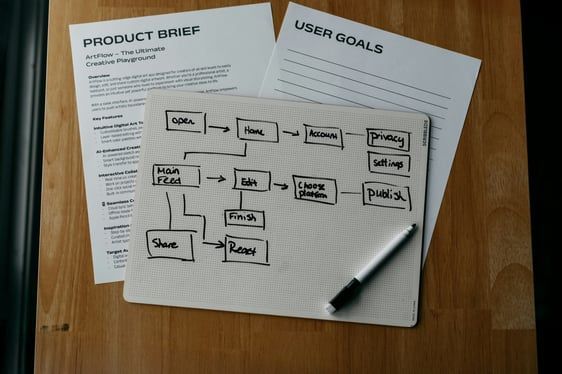
Hand-drawn user goals flowchart on white paper next to a pen and product brief on a wooden table
By Neithdos Consulting Services May 29, 2026
Discover best practices for technical writing of SaaS documentation with Neithdos Consulting Services in Summerville, SC. Read more today!
Colleagues chatting around a laptop in a bright office, smiling and discussing work
By Neithdos Consulting Services April 16, 2026
Get expert executive mentorship from Neithdos Consulting Services in Summerville, SC. Empower your team and leadership today!
Two colleagues reviewing a laptop in a bright office, discussing work at a desk
By Neithdos Consulting Services April 14, 2026
Avoid common documentation mistakes with Neithdos Consulting Services in Summerville, SC. Learn tips to improve team efficiency today!